Basics
Save or print a matka chart as a PDF
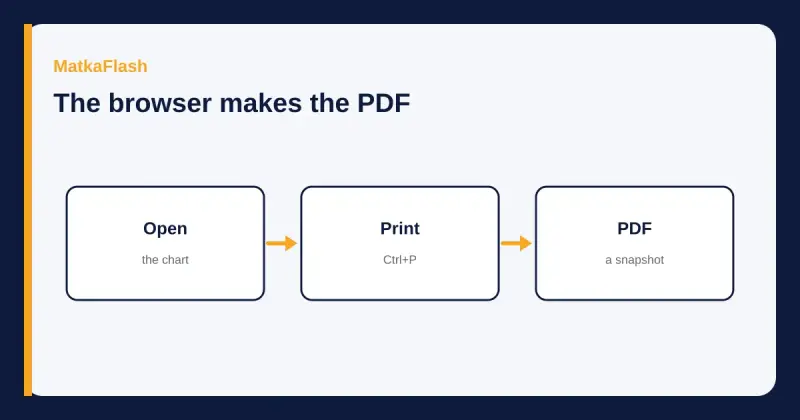
A PDF of a chart is a file your browser makes from the page you have open. This site does not hand you a download button for one.
Key points
- There is no PDF download button on MatkaFlash. The browser's print window can save a PDF.
- The chart without a year is the latest 52 weeks. A year page is only that year.
- A Download CSV control saves the rows on the page you are viewing, as a spreadsheet, not as a PDF.
- A wide week grid can be cut off on paper. Read the print preview before you save.
- The file is a snapshot of what the page showed. A later correction does not rewrite your file.
Do not install an app or buy an archive to keep a chart. A file offered in a chat is not this site's export.
Contents
Some older result sites advertise a pile of PDF downloads. People then look for the same button here. There is not one. What you can do is open the chart you mean and use the browser's own print command, choosing a PDF as the destination when the browser offers it. What you should not do is install a file, pay a fee, or trust a PDF whose first page does not say which market and which dates it holds. The chart guide explains the columns. This page is only about keeping a copy.
| Action | Exists here? | Limit |
|---|---|---|
| PDF download button | No | Use the browser print window |
| Download CSV on a chart | Yes, for the rows on that page | A spreadsheet of the visible weeks, not a PDF and not every year |
| Latest jodi or panel chart | Yes | 52 weeks, ending at the current week |
| One year | Yes, /market/jodi-chart/YEAR | Weeks that contain that year |
| An app that saves charts | No | Do not install one from a message |
Does MatkaFlash provide a PDF download, or do you use browser print?
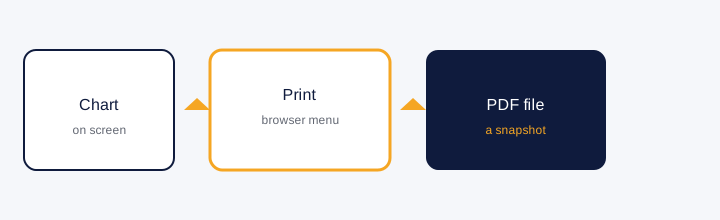
Browser print. Open the chart, then use the print command your browser already has. Google's Chrome help page, 'Print from Chrome', read for this article on 9 November 2026, says that on a computer you open Chrome, open the page, and use File then Print, or Ctrl+P on Windows and Linux and Command+P on Mac. A window opens. You select a destination and the print settings, then click Print. The same help page, in the section about saving from print preview, tells you to click Save as PDF when that destination is what you want, and then to put the file where you choose.
That is the whole export. There is no second step on this website, no account, and no file waiting in a folder called downloads. If a banner on some other site says PDF DOWNLOADS ZONE, that is their collection. It is not evidence that this archive ships the same files, and this guide will not link you into someone else's PDFs or vouch for the years they claim.
What market, year and date range should you open first?
Decide the market and the span before you print, because the browser prints the page you opened, not the entire history. /kalyan/jodi-chart is the latest 52 weeks of the Kalyan jodi chart. /kalyan/panel-chart is the same window with the pannas. A year is a different address, /kalyan/jodi-chart/2024 or /kalyan/panel-chart/2024, and it holds the weeks that contain that year. The old results guide is the map of those addresses. Print the year page when you want that year. Print the latest chart when you want the recent window. Do not expect one print of the latest chart to contain 2019.
The chart also has Download CSV. That button saves a comma-separated file of the weeks on the page, with the filename built from the market and the chart type. It is not a PDF. It is not a hidden full-archive dump. If the page is one year, the CSV is that year's shown rows. If the page is the latest 52 weeks, the CSV is those weeks. Read the file before you treat it as complete.
How do you save a PDF on desktop?
Follow the Chrome help steps above if you use Chrome. Open the exact chart. Use File then Print, or the shortcut. In the window, choose the destination. When Save as PDF is the destination, the help page says to click Save as PDF and then choose where the file goes. Other browsers have their own print windows. This article does not invent their menu names. If the item is not labelled in the help page you have open, do not guess. Use the print command your browser documents.
Before you confirm, look at the preview. The week grid is wide. On screen it sits in a sideways scroll. A portrait page can clip the Sunday column or the later days. Switch to landscape if the preview offers it, or accept that you may need the CSV for a complete row. A clipped PDF that looks tidy is worse than a scroll, because the missing day is invisible.
How do you save or print on an Android phone?
The same Chrome help page has an Android section, also read on 9 November 2026. It says: open the Chrome app, open the page, tap More at the top right, then Share, then Print. Tap the down arrow to change settings. At the top, select a printer. To keep a file instead of printing, tap Save as PDF and choose where to save it on the device, then tap the print control the page describes. Those are the labels in that help article. A phone menu that uses different words is a different version. Do not install a 'chart saver' because the share sheet feels unfamiliar.
A phone screen is narrower than the week grid, so the cutoff problem is easier to miss. Scroll the chart sideways once before you share it, so you know the row has seven days. Then check the preview. If Sunday is gone, do not save that preview as if it were the week.
Why are columns cut off or some weeks missing?
Columns disappear when the paper is narrower than the table. The fix is the preview, not a second website. Weeks disappear when you opened the wrong span. The latest chart is 52 weeks by design. Older weeks are on the year pages, and only for years this archive holds. A dash inside a week that did print is not a failed download. It is no dated record, the same mark the chart uses on screen. A blank cell in the current week can be a future day.
Do not 'complete' a short PDF by pasting numbers from memory or from a forwarded image. The fake-site guide is why a smooth file with no blanks is not more trustworthy. Blanks are part of the record.
What source details should stay with the saved copy?
Write on the file name, or on the first page if you add a note, the market, whether it is jodi or panel, the year or the 52-week window, and the date you saved it. If you also saved the CSV, keep it beside the PDF. The page address belongs in the note, for example the year address you actually opened. A picture of numbers with none of that is not something you can correct later.
The daily page, when you used one, may say the row was imported or may show a source time. That sentence is about the row, not about your PDF. Copy it if you need it. The declaration guide explains what those labels mean. This page does not repeat that lesson.
Why is a PDF not a live update or proof of future results?
The file freezes the page as your browser rendered it. If MatkaFlash later records a correction, your PDF stays wrong until you save again. If the page was the latest 52 weeks, next month's file will not match this one, and that is normal. A PDF also cannot know a result that had not been declared when you clicked Print. Anyone who says the file contains next week's line is selling a story. Close it.
Keeping a copy is for reference, disputes about what a page showed, or reading without a connection. It is not a product, not a tip, and not a reason to install software. If a message offers a 'full matka PDF from 1974' and asks for a fee or an APK, that message is not this archive's print command.
Common questions
Is there a PDF button on the chart?
No. Use the browser print window and choose a PDF destination if the browser offers one. Download CSV is a spreadsheet of the rows on that page, not a PDF.
Will one print include every year?
No. You print the page you opened. The latest chart is 52 weeks. A year page is that year.
What if Sunday is missing in the preview?
The grid is wider than a portrait page. Change the preview or use the CSV. Do not save a clipped week as if it were complete.
Does the saved file update itself?
No. It is a snapshot. A later correction on the site does not change the file you already saved.
Sources
- Google Chrome Help, Print from Chrome, computer and Android steps, read 9 November 2026support.google.com
- How the chart columns workmatkaflash.com
- Where a past Kalyan date livesmatkaflash.com
- Directorate General of Health Services, National Mental Health Programmedghs.mohfw.gov.in
Keep reading
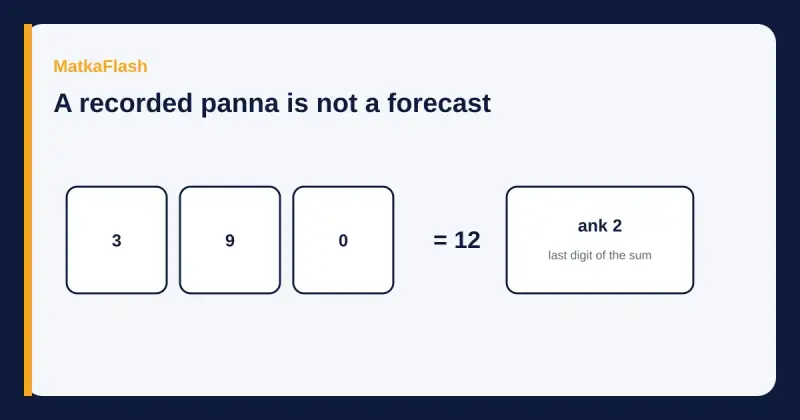 BasicsWhy guessing and fix ank do not workA matka chart records a draw that already happened. Fix ank lists and weekly jodis do not name the next independent draw.6 min read
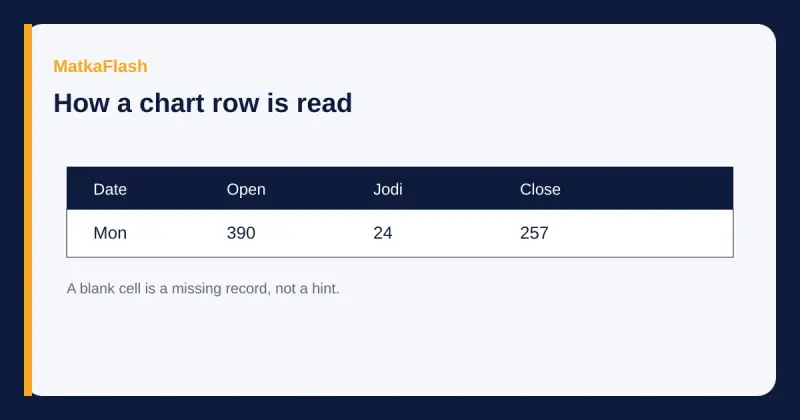 BasicsHow to read a jodi or panel chartWhat the date, open panna, jodi and close panna columns record, and why a blank cell is not a forecast.6 min read
 BasicsWhy a results page does not sell tipsWhat a dated matka record can show, what it cannot know, and why the MatkaFlash desk does not sell a coming number.5 min read
 BasicsA plain glossary of matka chart termsWhat open, close, jodi, panna, ank, sangam, starline and jackpot mean on a results page, using a stored Kalyan row.6 min read